Eevee vs Cycles — Which One Is Best? (Blender Render Guide)
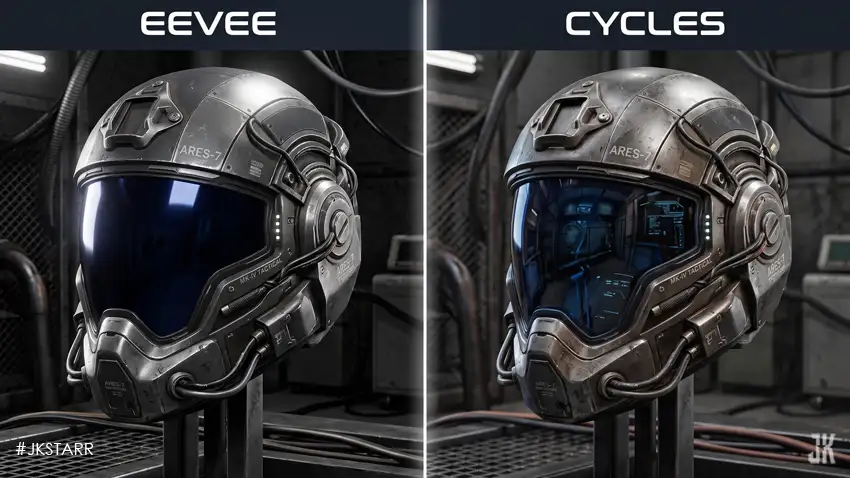
If you use Blender, you have likely encountered its two default render engines: Eevee and Cycles. Many beginners often find themselves wondering which one is superior and when to use each engine for their 3D projects.
Both Eevee and Cycles are powerful production tools, but they were built for entirely different workflows. One prioritizes instant speed, while the other focuses on uncompromised realism. Choosing the right engine can save you hours of unnecessary rendering time and significantly boost your final visual quality.
This comprehensive, beginner-friendly guide breaks down everything you need to know about Eevee and Cycles in simple terms.
📌 Table of Contents
- 🎬 Introduction
- ⚡ What Is Eevee?
- 💎 What Is Cycles?
- ⚔️ Eevee vs Cycles — Main Differences
- 🚀 Speed Comparison
- 🌟 Realism Comparison
- 💡 Lighting and Shadows
- 🪞 Materials and Reflections
- 🎞️ Animation Rendering
- 🖥️ System Requirements
- ✅ When Should You Use Eevee?
- ⭐ When Should You Use Cycles?
- 👶 Eevee vs Cycles for Beginners
- 🔮 Future of Both Render Engines
- 🏁 Final Conclusion
🎬 Introduction
When creating 3D models or environments in Blender, the final step is rendering—turning your 3D scene into a 2D image or video file. This is where Eevee and Cycles come into play.
Because modern 3D projects vary wildly from stylized animations to photorealistic product designs, having two distinct rendering engines gives artists the flexibility to match their tool to their specific creative goals.
⚡ What Is Eevee?
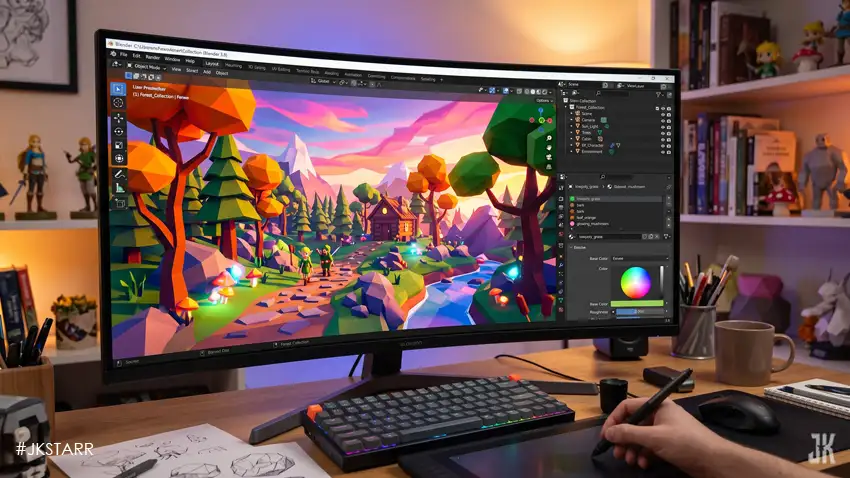
Eevee is Blender’s built-in real-time render engine. It operates much like a modern video game engine, generating images instantly as you work in the viewport.
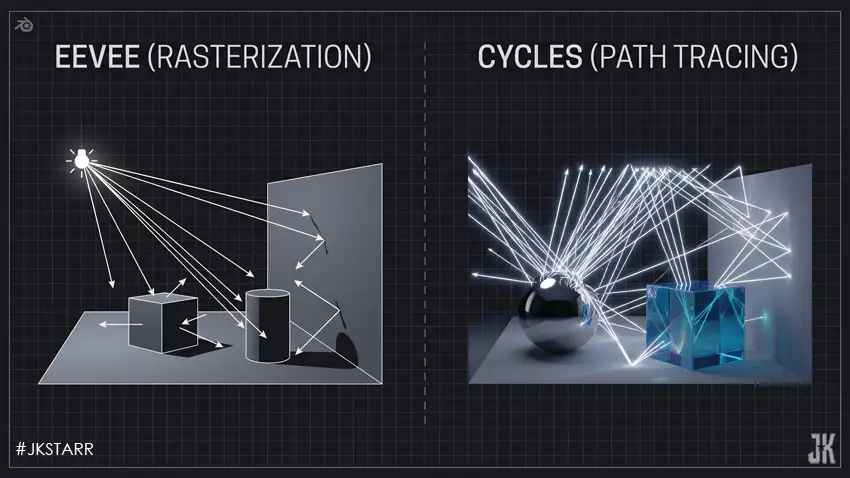
Instead of mathematically calculating every single ray of light in a physical space, Eevee uses clever approximations and rasterization tricks. This makes it lightning-fast. You can shift camera angles, tweak light sources, and view the updated output immediately.
This instantaneous feedback makes Eevee the top choice for rapid prototyping, look-development, motion graphics, and high-speed animation production. However, because it relies on shortcuts, achieving ultra-realistic global illumination or physically accurate light bouncing can sometimes be restricted.

💎 What Is Cycles?
Cycles is Blender’s production-proven, path-tracing render engine. It is designed to simulate the real-world physics of light down to every individual photon.
Rather than taking shortcuts, Cycles traces light rays as they bounce off surfaces, refract through transparent objects like glass, scatter beneath skin, and create soft, natural shadows. The result is exceptionally high-fidelity, photorealistic imagery.
Cycles excels at handling complex lighting scenarios, accurate reflections, caustics, and detailed material shaders. Consequently, it is the industry standard for product design, architectural visualization, and cinematic VFX. The primary trade-off is render time, which can range from seconds to hours depending on scene complexity.
⚔️ Eevee vs Cycles — Main Differences
At their core, the two engines differ fundamentally in philosophy:
- 👉 Eevee = Speed & Real-Time Feedback
- 👉 Cycles = Realism & Physical Accuracy
Eevee optimizes performance using computer graphics algorithms similar to game engines, whereas Cycles utilizes path tracing to replicate true-to-life optical physics.
🚀 Speed Comparison
Speed is Eevee’s greatest superpower. Because it bypasses heavy physical light calculations, frames render almost instantaneously.
This makes Eevee an incredible asset for tight deadlines, social media content creation, and fast-paced animation projects where waiting hours for a render is impractical.
Cycles, conversely, demands heavy processing power as it traces millions of light paths per frame. Even with high-end modern GPUs, complex scenes require patience, though GPU acceleration and built-in AI denoisers have drastically accelerated Cycles rendering in recent updates.
🌟 Realism Comparison
When absolute photorealism is the goal, Cycles stands unmatched. With proper texturing and lighting, a Cycles render is often virtually indistinguishable from a real photograph.
While Eevee can produce stunning, clean visuals, reaching true photorealism requires manual workarounds and careful configuration to compensate for its limitations with indirect bounce lighting and screen-space reflections. For stylized, anime, or low-poly art styles, however, Eevee often delivers a punchier, cleaner aesthetic right out of the box.
💡 Lighting and Shadows
Light behavior highlights a distinct architectural gap between the two engines:
- Cycles calculates global illumination natively. Light bouncing off a colored wall naturally tints nearby surfaces (color bleeding), and shadows soften realistically depending on the light source’s scale.
- Eevee requires manual intervention for advanced lighting behaviors. Artists often rely on light probes, reflection cubemaps, and baked indirect lighting to fake realistic bounce illumination.
🪞 Materials and Reflections
Cycles handles complex material properties seamlessly—glass, sub-surface scattering for skin, liquid transparency, and intricate metals react correctly to physical parameters.
Eevee relies on screen-space reflections, meaning reflections can sometimes vanish if the reflecting object moves outside the camera’s direct view. Despite these limitations, Eevee materials are more than sufficient for the vast majority of web, motion design, and stylized projects.
🎞️ Animation Rendering
Rendering an entire animated sequence requires careful balancing of time and visual fidelity.
Eevee allows creators to output hundreds or thousands of animation frames in a fraction of the time, keeping creative momentum alive. Cycles can achieve breathtaking cinematic quality for animation, but large sequences usually require heavy multi-GPU setups or external render farms.
🖥️ System Requirements
Hardware demands differ noticeably between the two engines:
- Eevee performs smoothly even on mid-range laptops and standard hardware because it leverages the GPU efficiently via rasterization.
- Cycles scales exceptionally well with high-end hardware, heavily rewarding users equipped with powerful graphics cards (GPUs) featuring dedicated ray-tracing cores.
✅ When Should You Use Eevee?
Eevee shines brightest in scenarios such as:
- Real-time viewport previews and asset look-dev
- Stylized 3D art and cartoon rendering
- Fast-paced motion graphics
- High-volume animation projects
- Game asset testing and fast social media content
⭐ When Should You Use Cycles?
Cycles is the ideal choice for:
- Architectural walkthroughs and interior design
- Photorealistic product visualization
- Cinematic storytelling and visual effects shots
- Close-up macro renders requiring fine texture detail
- Final hero product stills
👶 Eevee vs Cycles for Beginners
For newcomers stepping into Blender, Eevee offers a much friendlier, more forgiving onboarding experience. The instant feedback loop lets you experiment freely with lighting and composition without facing frustrating wait times.
Cycles introduces a steeper learning curve, requiring an understanding of render sampling, light paths, noise thresholds, and denoiser settings. Many artists choose to block out scenes and animate in Eevee before switching to Cycles for final render passes.
🔮 Future of Both Render Engines
Blender continues to narrow the gap between speed and realism in both engines.
Next-generation updates to Eevee introduce advanced ray-tracing capabilities while preserving its trademark speed, while Cycles continues to push performance boundaries through smarter denoising algorithms and hardware ray-tracing integration.
🏁 Final Conclusion
There is no definitive “better” engine between Eevee and Cycles—only the right tool for the job.
If your priority is speed, interactivity, and rapid iteration, Eevee is an outstanding companion. If your goal is uncompromising physical realism and accurate light simulation, Cycles is the definitive winner.
Many professional studios leverage a hybrid pipeline: utilizing Eevee for layout, blocking, and fast previews, and relying on Cycles for the final polish.